
Lesson 12 of 13
UAD 3.6 report and credits
Scan credits, unlocking UAD 3.6, the Report tab and Billing.
2 min read
A UAD 3.6 scan uses one scan credit per property and gives you the full UAD 3.6 report on the dashboard. Floor plans and photos are always free. Rescanning a property you've already paid for is included.
Switch a scan to UAD 3.6
- Open the scan and click Report type in the header.
- Choose UAD 3.6. (UPD 1.6 is listed as Coming soon.)
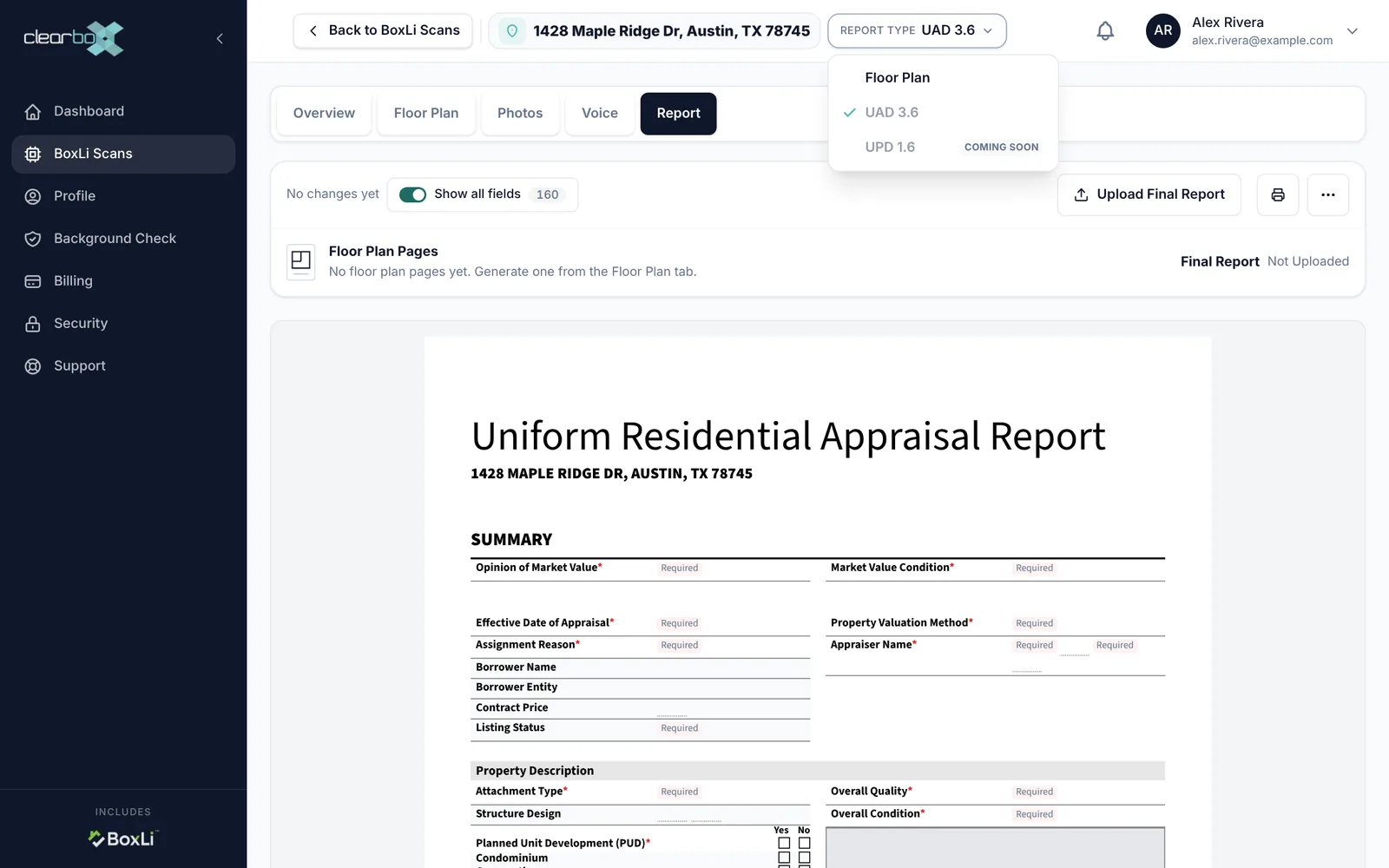
The first switch uses 1 scan credit. It also looks up the county record, sorts the photos, and unlocks the Report tab. Only the property's owner can do this, because it spends their credit. Switching back to Floor Plan locks the Report tab again; nothing is deleted.
“UAD 3.6 is locked for this property”
This means the property synced while its owner had no credit. Floor plans and photos still work. On the lock card, the owner can:
- Click Use 1 of your N credits, or
- Click Unlock for $20 to buy one credit and use it on this property.
Anyone else sees a note to ask the owner. If a payment is still processing, don't pay again: card payments clear in a minute or two, bank payments can take a few business days. Click Check again once it clears.
Fill in the report
The Report tab shows the Uniform Residential Appraisal Report with everything BoxLi captured already filled in: the floor plan, areas, rooms, photos and your on-site answers.
- Fields marked Required still need an answer. Show all fields also shows the empty rows the printed report leaves out, so you can fill them in.
- Click a field to fill it in. More Actions (…), then Field history, shows every change, who made it and why.
- The print button prints the form.
- Floor Plan Pages at the top shows the latest generated floor plan. If it says there are none, generate one on the Floor Plan tab.
To send the report on, see Download and share.
Buy credits and manage your plan
Open Billing in the left menu:
| Item | What it does |
|---|---|
| Scan Credits | Your credit balance and plan (Free or Clearbox Pro) |
| Plan card | Upgrade to Clearbox Pro ($99 a year), or Cancel at period end |
| Pay as you go | Buy one UAD 3.6 scan for $20 with your saved card or at checkout |
| Promo code | Enter it next to the purchase button before you check out |
| Payment method | Add a card, make one the default, or remove one |
| Transaction History | Every purchase and credit, with the balance after each |
There's no separate invoices page; purchases are listed in Transaction History. Cancelling stops future charges, and you keep access until the end of the period you paid for. Prepaid time isn't refunded.
Still stuck? Email support@clearbox.com.